Activity Monitor–style stats
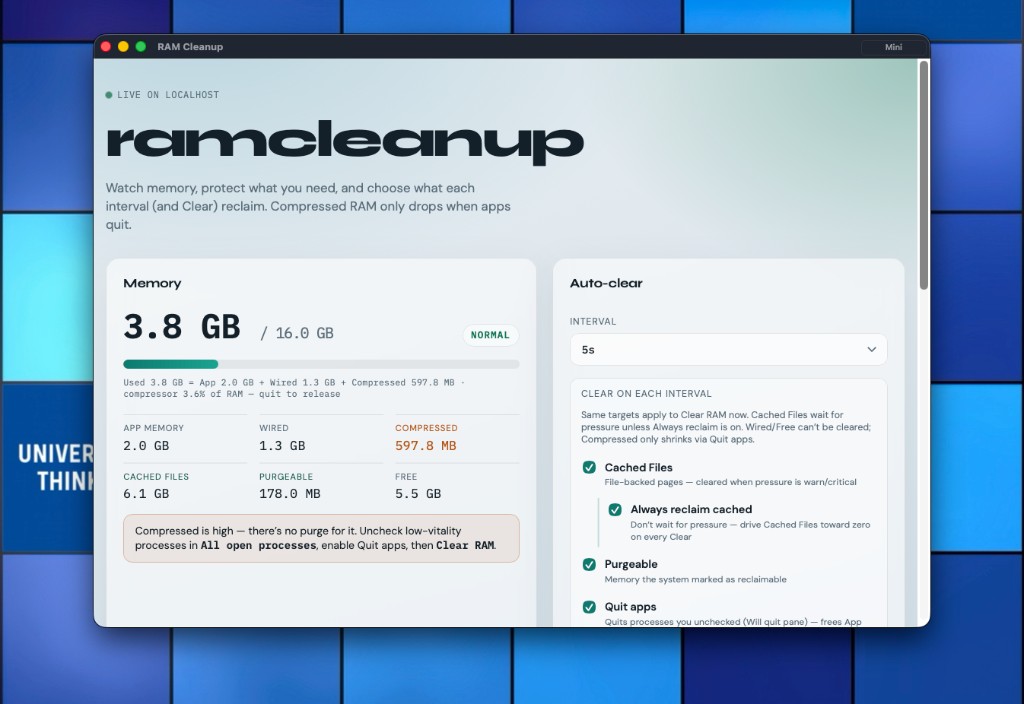
Used = App + Wired + Compressed. See Cached Files, Purgeable, Free, and pressure so you know what Clear can actually touch.
Live macOS memory like Activity Monitor — App, Wired, Compressed, Cached, Purgeable, Free — with Clear on a timer and a mini widget that stays on top. Compressed RAM only drops when apps quit.
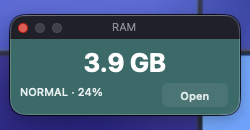
Shrink to an always-on-top glance: used GB, pressure (NORMAL / WARN / CRITICAL), and percent — Open jumps back to the full window.
A macOS utility (native app wrapping a localhost dashboard) that samples memory continuously, lets you keep or release processes, and clears the targets you pick — on demand or every few seconds.
Used = App + Wired + Compressed. See Cached Files, Purgeable, Free, and pressure so you know what Clear can actually touch.
Cached Files (optional always-reclaim), Purgeable, and Quit apps — same targets for the interval timer and Clear RAM now.
Everything defaults to Keep. Uncheck apps in All open processes so Quit apps (and Clear) may quit them — system-critical processes stay locked.
There’s no purge for compressor pages. When Compressed is high, the UI nudges you to release low-vitality apps and Clear with Quit apps on.
RamCleanup.app — full window plus Mini; menu-bar status item127.0.0.1:8765 (also via start-web)~/.ramcleanup/RAM Cleanup is a Universally Thinking macOS tool. Reach out for builds or feedback.